AI & automation

Healthcare AI automation for everyday admin.

Our healthcare AI automation work focuses on administrative tasks such as sorting enquiries or preparing a draft for staff to review. A fixed rule may be enough. Where artificial intelligence (AI) is considered, agree the permitted inputs, the person responsible for checking the output and the manual route before a trial.

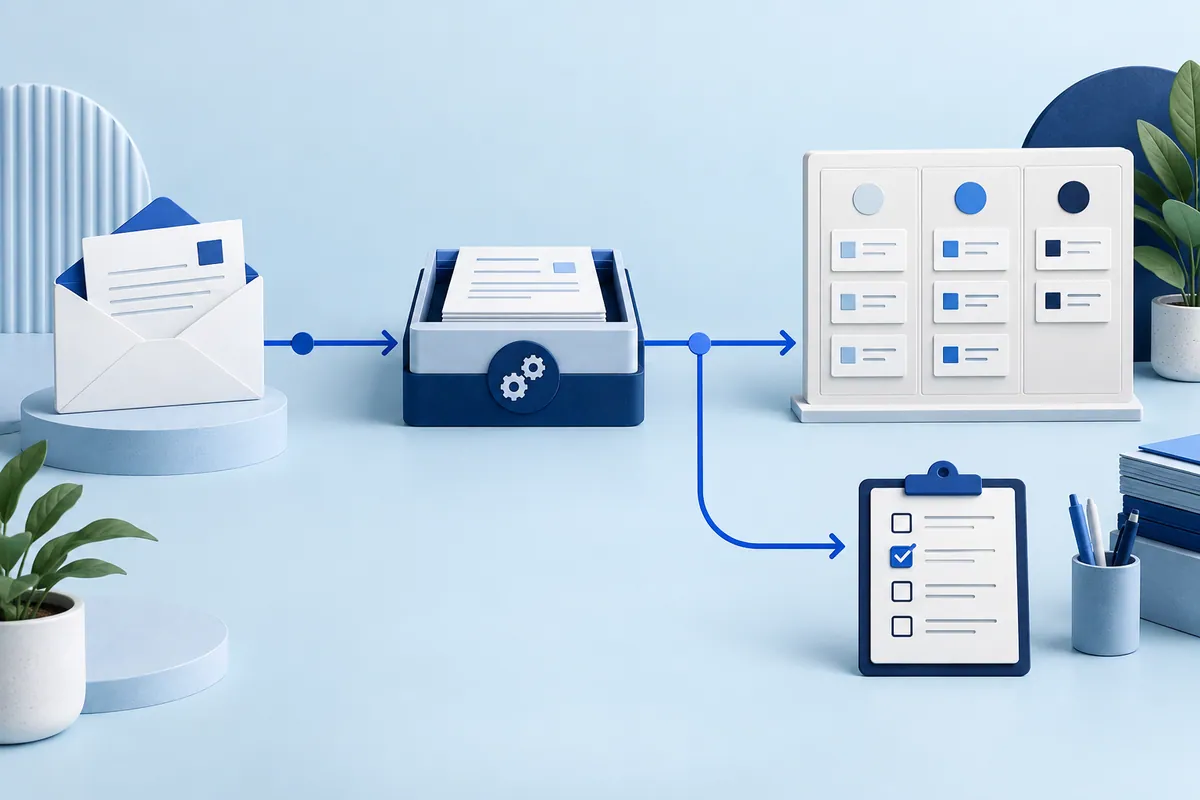
Healthcare workflow automation linking incoming messages, document processing and task review.
Keep the normal route and the exception route visible.
Healthcare AI review with a draft document, source folder, inspection lens and approval checks.
Verify suggested output against appropriate sources.
Healthcare automation pilot illustrated by a timer, task checks and an exception card.
Measure a bounded pilot before extending it.

What a first pilot produces

What should a first healthcare AI automation pilot produce?

Start with one incoming channel, one administrative request type and one receiving team. The written scope should name the systems, permitted information and actions included. A discovery review may show that an existing form setting or fixed rule is enough; AI needs a useful role and a way to check its suggestions.

01

A workflow map

A record of the event that starts the task, the information used, the receiving team and the point at which the work is complete. Include unusual cases, repeated submissions and steps that remain manual. This gives the team a specific process to approve.

02

Rules and review responsibilities

A written list of routing rules, permitted actions and outputs needing a person's approval. Where AI prepares a draft or suggests a category, identify who checks it and what sends the item to manual review. The pilot must not silently extend its own scope.

03

A limited prototype and test record

Subject to agreed system access, a small trial of the selected workflow, with recorded inputs, expected outputs and actual results. Test normal requests, duplicates, unclear messages and an unavailable destination. The record should expose failed cases as well as successful ones.

04

An operating handover

Instructions for checking incomplete work, reporting errors, stopping the automation and completing the task manually. Record who owns changes, which tool or usage charges apply and what support is included in the agreed scope. Monitoring needs an owner after the initial trial.

What your team supplies

The rules come from your real process.

Bring a description of one repeated task, the systems involved and a few invented examples of normal and awkward cases. Name the person who can approve the process and the staff member who would handle exceptions. Do not send patient records, passwords or private messages through the project enquiry form.

Before a connected trial, the relevant owners need to confirm permitted data, access arrangements, supplier restrictions and any existing retention requirements. If those decisions are unresolved, the first output can be a process map and a demonstration using synthetic data, without connecting live systems.

For an internal assistant, document sorting or draft preparation, the same boundary applies: specify the approved material it may use and the person responsible for checking its output. These are separate possible pilots, not extra features assumed to be included.

Fictional workflow demonstration

An invoice request reaches billing for review.

This is a synthetic administrative example, not a client result or a working product demonstration. It assumes a staffed billing queue and an existing manual process for checking identity before releasing an invoice.

Input: request DEMO-014 says, “Could you send me another copy of the invoice for my last appointment?” There is no real person, account or invoice behind this example.

Routing and output: if the sender selected “Invoice copy” on the form, a fixed rule selects Billing. If only free text is available, an AI-assisted version proposes the category for staff to check. The resulting task reads: DEMO-014 | Billing | Invoice copy request | Awaiting staff review. The original message stays available alongside that suggestion.

Human approval: a staff member checks the message and proposed category, then follows the existing identity-checking process before approving any reply or document release. The pilot does not retrieve or send an invoice, change an account or decide that a request is urgent.

Unclear input: “I need help with an appointment and a bill” produces Manual review | Reason: more than one request. A person chooses the next step; the automation does not guess which task matters most.

Failure fallback: if the billing connection is unavailable, DEMO-014 remains in the original inbox and the exception record shows Not delivered to Billing. The named owner uses the manual process. Replaying the same request reference must not create another task or resend a completed action.

Acceptance before expansion

Check the result, including what did not happen.

For this example, the acceptance record would show one task for DEMO-014, the source message beside it, the right review state and no automatic invoice release. It would also show that a duplicate does not create another task, the mixed request reaches manual review and a disconnected destination leaves work visible for its owner.

Agree who will run and sign off those checks before the trial. If a case fails, record the difference and keep that route manual until the issue is resolved. A demonstration passing with synthetic data is not approval to use live information.

During an authorised trial, compare the steps staff actually complete, the corrections they make and the exceptions they handle with the current process. Extra review work may outweigh a saved step. Continue, change or stop the pilot on that evidence; extending it to another request type needs a new scope decision.

A clear agreement

Know what is included.

We identify what data may enter each tool, who can access it and which outputs need review. Diagnostic advice, clinical decision-making and unsupervised patient communication require separate specialist assessment and are not assumed to be part of an administrative automation project.

The proposal should distinguish discovery, prototype work, a connected trial and ongoing support. Supplier access, permitted connections and tool costs need checking before a live workflow is promised. An approved pilot does not include every inbox, service or location by default.

Discuss your requirements

Let’s make it happen

Let’s talk about your next project.

Describe one repeated task, how often the team does it and which tools it involves. Explain what happens when something goes wrong. Use an example without patient details or other private information.

Start a conversation

Useful to know

Your questions, answered.

No. A fixed rule, such as creating a follow-up task when a form arrives, may be enough. AI is considered when the task needs it and there is a workable way to test and check its output.

Yes. Start with one task and a limited trial. Agree who checks the results, how staff report problems and what would justify extending it to other tasks.

The administrative pilot described here does not cover clinical decisions or unsupervised patient communication. The fictional example routes a request for staff review; it does not diagnose, prioritise clinical urgency or send an invoice.

Plan your project

Useful ai & automation resources

Browse all ai & automation resources