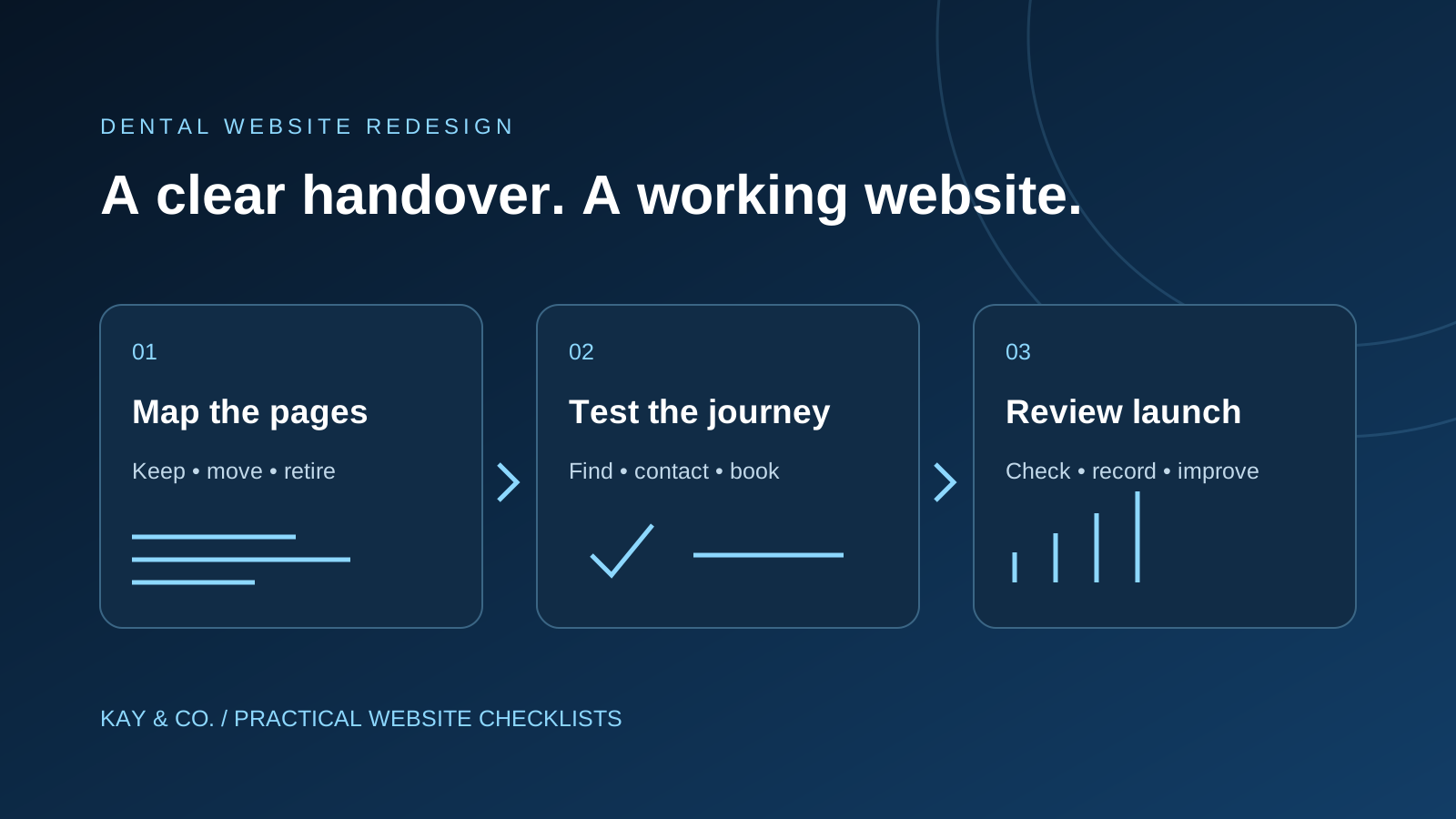
Before approving a dental website redesign, ask for proof that important treatment pages remain reachable, changed addresses lead to the right replacements and patients can still contact or book with the practice on a phone. A design presentation shows how the new site looks. A handover checklist shows whether it is ready to serve patients.
This guide is for practice owners and managers commissioning a replacement website. It gives you a short acceptance process to agree with your designer and SEO provider before launch, including a sample page map and specific evidence to request.
1. Agree what the redesign must preserve
Start with a list of the website's jobs. A practice offering general dentistry, implants and urgent appointments may need three quite different journeys. Someone checking where to park should not have to navigate an implant consultation funnel. A redesign brief should name those journeys before it names colours, fonts or animations.
Ask the team to record the current treatment pages, opening hours, telephone numbers, booking destinations and relevant downloads. Add the pages patients or reception staff regularly use, even if they attract little search traffic. A fees page or directions page can be operationally important without being a major source of first visits.
Give each item a practice owner who can confirm it is still accurate. A designer can move text correctly while carrying forward an obsolete appointment fee or an old clinician profile. For help reviewing the copy itself, see our guide to dental website content that builds trust.
Keep control of the domain and agree who can access hosting, the content management system and the booking provider. Record who will handle an urgent launch problem and how reception will contact them. These are practical handover questions, not reasons to buy a new platform.
2. Make a page-by-page handover map
Ask for one shared sheet with the old address, proposed address, decision, responsible person and test result. A screenshot of the new navigation is not a substitute: pages can disappear even when the menu looks complete.
The following is an illustrative map for a fictional practice. The paths are examples, not pages to create automatically.
| Existing address | Decision | Evidence to request |
|---|---|---|
/dental-implants/ | Keep this address and refresh the layout | The same treatment page loads; its consultation link works |
/invisalign-treatment/ | Move to /clear-aligners/ if that accurately represents the replacement | The old address goes directly to the relevant new page |
/fees.pdf | Replace with the approved current fee information | Old links have an appropriate destination; outdated fees are not served |
/book/ | Keep the booking route | Correct practice, appointment options and confirmation behaviour |
| A discontinued service with no replacement | Retire deliberately | A genuine not-found response and useful navigation, not an unrelated sales page |
Google's site-move guidance recommends mapping old URLs to new destinations and updating internal links, canonical references and sitemaps. It also advises separating major changes where practical. For your brief, distinguish a visual redesign from a domain move or a change to every treatment-page address.
3. Check changed addresses, not just the new menu
A patient may arrive through an old email, a saved link or a search result. Test those starting points. Ask the developer for a report covering every changed address, then personally open a sample of the important ones.
For a permanent move, Google recommends a permanent server-side redirect where possible, such as a 301 or 308. This sends a visitor from the old address to the replacement and signals the move to search engines. Ask for direct redirects rather than a chain of intermediate pages. See Google's redirect guidance.
Use the treatment example above as an acceptance test: an old aligner link should reach useful aligner information, not simply the home page. If there is no relevant replacement, the developer should document the retirement decision; Google describes a 404 or 410 response for removed content without a replacement in its site-move guidance.
Do not approve a redirect report solely because it contains no red cells. Ask what each column means, inspect the destinations and have the practice confirm that the replacement still answers the patient's original question.
4. Test the patient journey on a phone
Choose three realistic tasks and start each on the relevant treatment or contact page. Try finding the practice telephone number, understanding how to request an appointment and checking the location or access information. Use a real phone as well as the designer's desktop preview.
- Telephone: tap the number and check that the intended number appears in the dialler.
- Booking: follow the button far enough to confirm the correct practice and appointment route. Arrange a designated test booking if the team needs to verify the full process.
- Enquiry form: agree a clearly labelled test with reception, then confirm delivery and the next step. An on-screen success message alone is not evidence that the practice received it.
- Navigation: check that menus, cookie choices and sticky buttons do not cover the booking controls or important text.
Use fictitious test details and agree how test submissions will be removed. Avoid entering patient information during website acceptance testing. If the booking service is supplied by another company, name who is responsible for fixing the connection between the two systems.
5. Ask for evidence before signing off launch
A manageable handover pack should answer the questions below. Ask for dates and named owners so that a result can be traced to the version you are approving.
- Which pages were kept, moved and retired, and who approved those decisions?
- Have the important old addresses and internal links been tested?
- Do the intended public pages load successfully, with the correct preferred URL references?
- Have the development site's indexing restrictions been checked on the production site?
- Has reception confirmed the agreed form or booking test?
- Who has the backup, and who can restore the previous working version if launch breaks a critical journey?
A development site may use a noindex instruction. If that instruction remains on pages intended for search after launch, Google can exclude them once it crawls and processes the instruction. Blocking crawling through robots.txt is a different control and can prevent Google from seeing noindex. Ask the developer to inspect both settings rather than relying on a single “SEO enabled” switch. Google's noindex documentation explains the distinction.
Set the launch decision around real problems. A wrong booking destination or an inaccessible treatment page deserves a fix before launch. A minor spacing preference can usually be recorded for a later update. Agree that distinction with the team instead of accepting an undefined promise to tidy everything afterwards.
6. Review results after launch
Keep a dated record of the launch and the main changes. Compare equivalent periods in the practice's search and enquiry records, using the same definitions. Separate branded searches from treatment searches where the data allows it, and avoid treating a new measurement setup as proof that demand changed.
Google warns that search rankings can fluctuate during significant site moves while pages are recrawled and reindexed. That is a reason to monitor carefully, not to ignore broken links or lost booking enquiries. There is no guaranteed recovery date for an individual practice.
For the first review, ask three concrete questions: can patients still complete the important tasks; are the intended pages accessible to search; and are genuine enquiries reaching reception? Then review search trends over several weeks, allowing for holidays, advertising changes and appointment availability. A redesign is easier to assess when technical launch checks and business outcomes have separate records.
Before launch, ask: “Show me how a patient using an old treatment link reaches the right information and can still contact us.” That single walkthrough tests more than a polished home-page presentation.
Commissioning a new dental website?
Include the page map, launch tests and follow-up review in the brief from the start. Kay & Co.'s healthcare website design and dental SEO services connect website content and search priorities with the enquiries a practice wants to receive. Discuss your redesign with the team before the old pages are replaced.